The time announce function is useful if you want to announce ON AIR with some signal the exact hour, or some special event. The included generic signal is used by default, but from Settings you can choose a personalized one for your station.
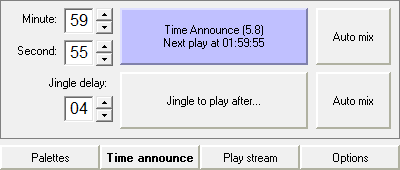
On the Time announce tab, first you have to select the minute and the second of the hour when you want the signal to start playing. Then press the Time announce button, or press the N key on your keyboard:
Its name will change to a text suggesting when will the announcing take place, with the Time announce signal name and duration. The display shows a clock sign, as a reminder that time announce is on.
Now that the time announce has been set, you can select a jingle that you wish to play right after the time announce signal. Choose a palette that contains the desired jingle and press Jingle to play after... or press the C button on your keyboard. All the assigned buttons on the palette will turn purple, allowing you to designate a jingle. Pick one by clicking its button from the palette. Don't worry, it will not go on air, as long as buttons are purple, in the selection mode.
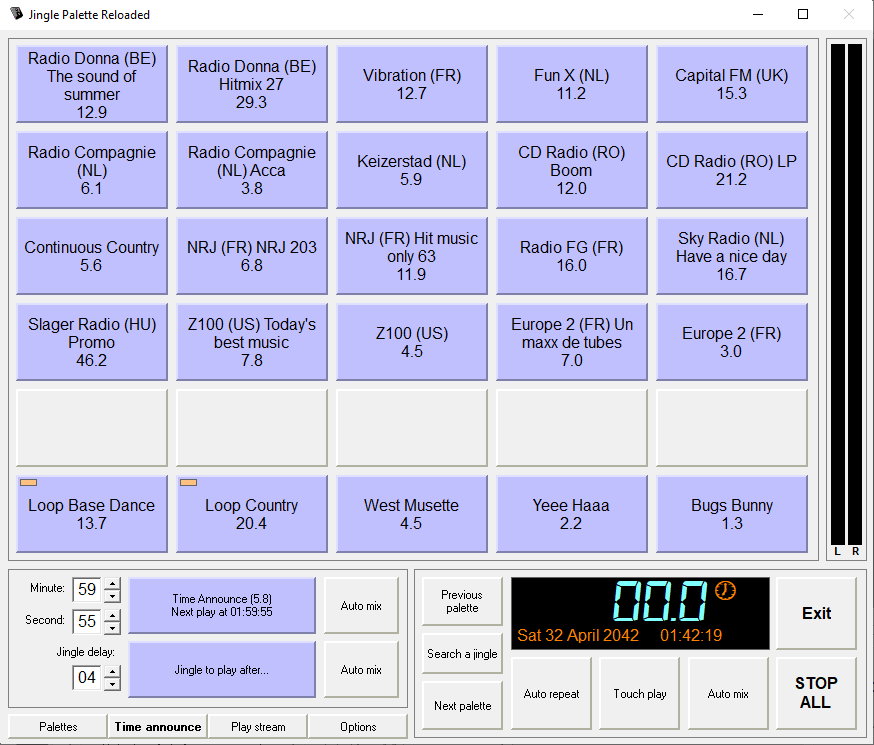
Right-clicking on a jingle button and selecting Delayed on Time announce will activate time announce and set this jingle as Jingle to play after... .
The Jingle to play after... button will turn purple, and its name will change to the jingle name, its duration, and the delay, in seconds, to play it.
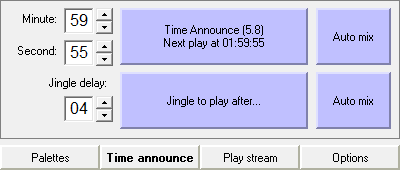
You can modify the time it starts playing from the Jingle delay option, but it cannot be later than the length in seconds of the time announce signal itself.
The Auto mix buttons allow to fade out playing jingles when the Time announce or Jingle to play after... startss playing. Auto mix at right from Jingle to play after... button also fade out the time announce signal when the Jingle to play after... starts playing.
Note: The values of the Minute, Second and Jingle Delay can be changed by clicking the little Up/Down arrows, or from keyboard by pressing UP, DOWN keys in the corresponding number box. Pressing LEFT or RIGHT will change the values more rapidly. You can type in values. All these values can be changed even if the Time announce tab's buttons are pressed, but the Jingle Delay number box and the Jingle to play after... button will be enabled only if Time announce is on.
Also note selecting the jingle to play after will copy loop and effects status. To change them, you've to turn off and on Jingle to play after... to reload the jingle with its new status.
Warning! Time announce sounds will be stopped when STOP ALL button is pressed.